
The Weekly Spec, Vol 28: Nightingale Raven Task Chair
One Chair. Different People. Better Adjustability.
The Workday Changes. Your Chair Should Be Able to Keep Up.
Think about how many times someone changes positions during a typical workday.
They lean forward to concentrate on a spreadsheet. Sit upright during a video meeting. Reach for a keyboard. Turn toward a colleague. Recline while reviewing a document. Then move back toward the desk.
None of these activities requires an entirely different chair. But they do ask different things of the one being used.
That is the challenge with specifying task seating for commercial interiors. A chair must work for the space, support the activities taking place, and accommodate the people who use it.
And those people are rarely identical.
They have different heights, sitting habits, comfort preferences, and workstation requirements. A chair that feels comfortable in one position for one person may not provide the same experience for someone else.
This is where adjustability becomes more than a list of features.
It becomes an important consideration in workplace planning.
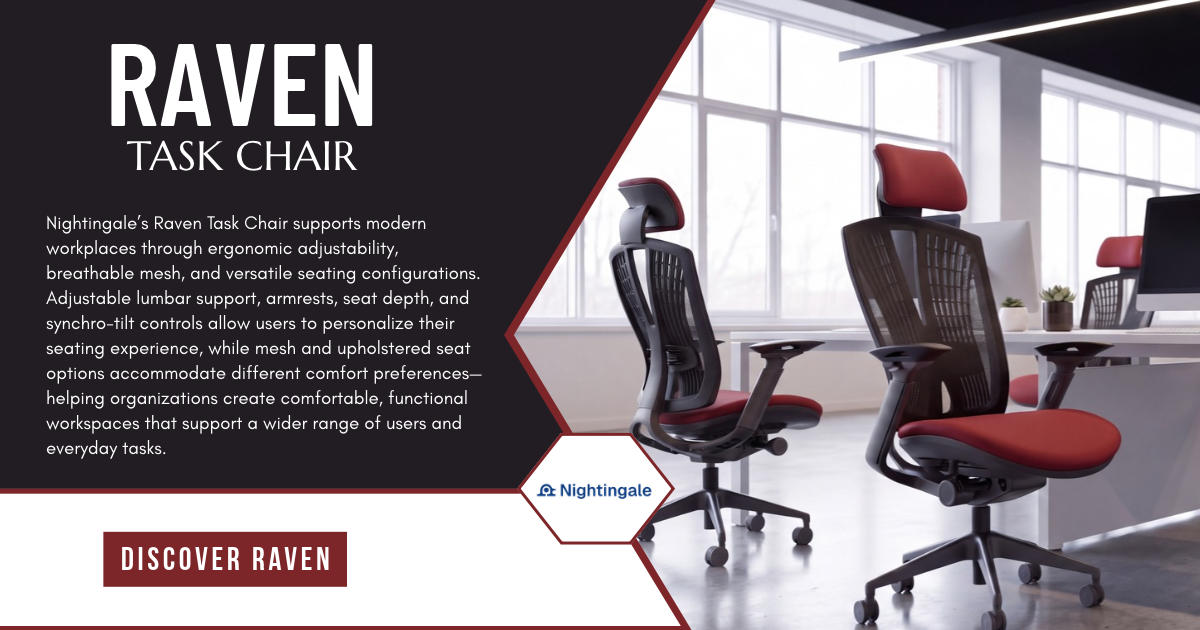
Nightingale's Raven task chair brings together responsive lumbar support, adjustable armrests, coordinated reclining controls, and seating-material options in a single ergonomic chair family.
For architects, interior designers, furniture dealers, and facility teams, Raven offers an opportunity to approach seating specification around individual needs while maintaining a consistent design language across the workplace.
Let's look at four everyday seating challenges—and how Raven addresses them.
Your Back Moves All Day. Why Should Your Lumbar Support Stay Put?
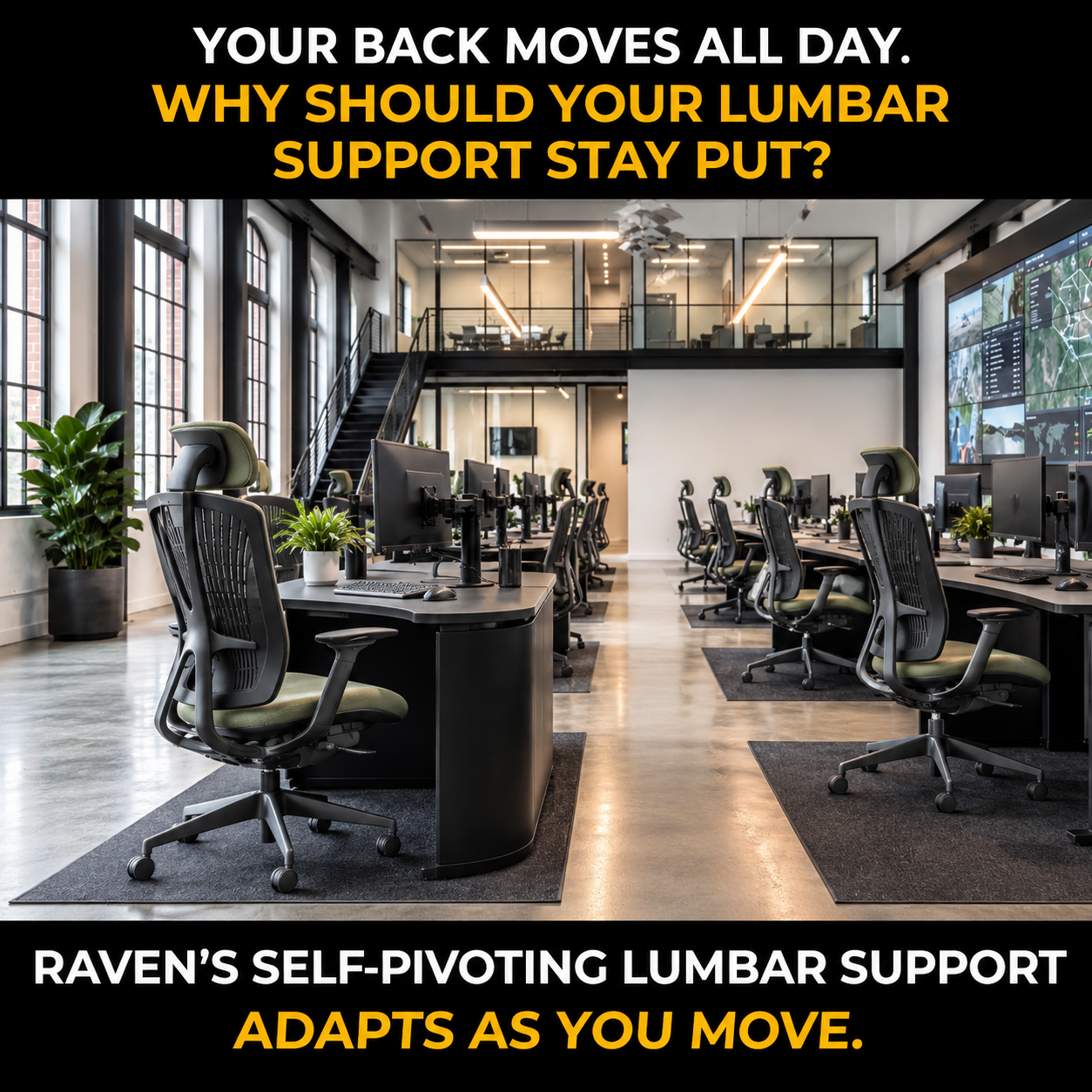
One of the most overlooked questions in task seating is what happens when the person using the chair changes position.
Traditional discussions about lumbar support often focus on whether a chair has it.
But that is only part of the conversation.
The next question is how that support responds to movement.
During a workday, people rarely maintain one perfectly upright posture. They shift their weight, adjust their position, and move between tasks.
An ergonomic chair needs to account for those changes.
Raven's Approach: Built-In, Self-Pivoting Lumbar Support
Raven incorporates self-pivoting lumbar support into its contoured ABLEX mesh back.
The intent is to provide responsive support as the user changes position, rather than treating the backrest as an entirely static surface.
The chair's molded graphite nylon back structure also gives Raven its recognizable profile.
This combination is important for two reasons.
First, the lumbar feature is integrated into the chair's design. It is not simply an unrelated accessory added to an otherwise conventional backrest.
Second, the contoured mesh and supporting frame create a distinctive appearance that can be carried across different workplace environments.
Why This Matters in Commercial Interiors
Consider an open-plan workplace with a mix of focused workstations and administrative desks.
Employees may spend much of their time seated, but their activities differ throughout the day.
A responsive backrest supports a more flexible approach to seating than assuming every occupant will remain in one position.
For furniture specifiers, the lesson is straightforward:
Do not evaluate lumbar support solely by whether it is present. Understand how it is designed to function.
When comparing task chairs, look at the relationship between the backrest, lumbar support, seat, and reclining mechanism.
These elements work together to shape the sitting experience.
Raven's self-pivoting lumbar feature offers a useful starting point for that conversation.
Your Arms Change Positions. Do Your Armrests?
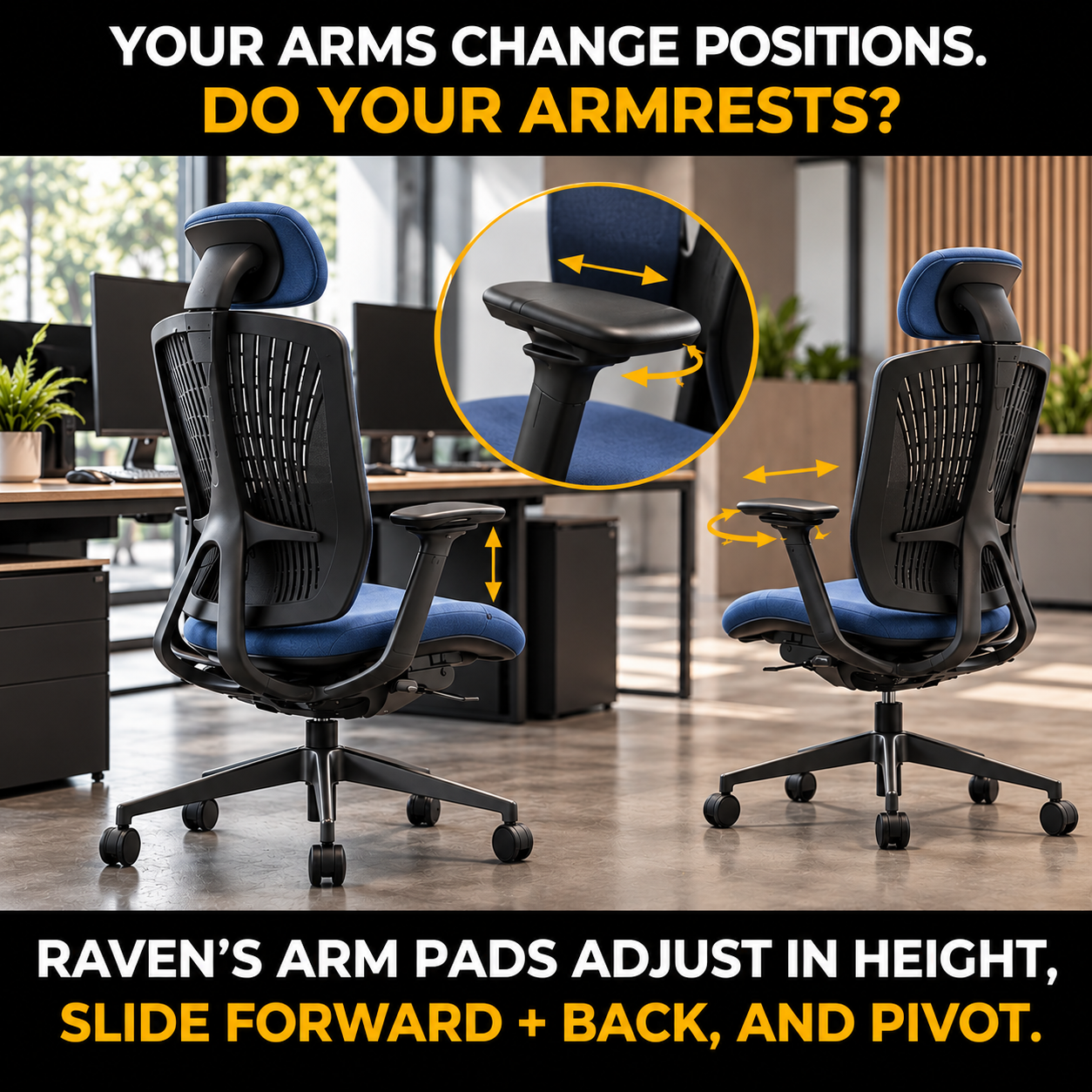
Think about everything people do with their arms while seated.
Typing requires one position.
Using a mouse may require another.
Reading a document, taking notes, and turning toward a colleague can all change where the arms naturally rest.
Yet armrests are sometimes treated as secondary details during furniture selection.
That can be a missed opportunity.
Armrests influence how a chair interacts with the user and the workstation.
When their position is too restrictive, the user has fewer options for arranging their arms comfortably during different tasks.
Raven's Approach: Adjustable Arm Pads
Raven includes height-adjustable arms with polyurethane arm pads that can:
Move up and down.
Slide forward and backward.
Pivot to accommodate different arm positions.
These adjustments provide more flexibility than fixed armrests.
The ability to change height helps the user position the armrests relative to their seated posture.
Forward and backward movement allows the pads to be positioned for different activities.
Pivoting adds another degree of adjustment, supporting changes in arm orientation during the day.
The result is not a guarantee of perfect comfort for every individual. Rather, it is a broader range of positions that users can explore.
The Workstation Connection
Armrest selection should not happen in isolation from the desk.
A well-considered workstation brings together the chair, work surface, keyboard, mouse, monitors, and available movement space.
For example, a user may prefer one armrest position while typing and another when sitting back to review information.
Adjustable pads allow the chair to respond to those preferences without requiring an entirely different seating product.
There are also practical specification questions worth asking.
Will the arms fit appropriately beneath the selected work surface? Is there enough clearance for the user's preferred armrest position? Are the controls intuitive enough for daily adjustment?
These details matter when specifying chairs across dozens or hundreds of workstations.
The takeaway: Armrests should be evaluated as part of the workstation experience—not just as a chair accessory.
Sitting Upright. Leaning Back. Why Should Your Chair Only Do One?
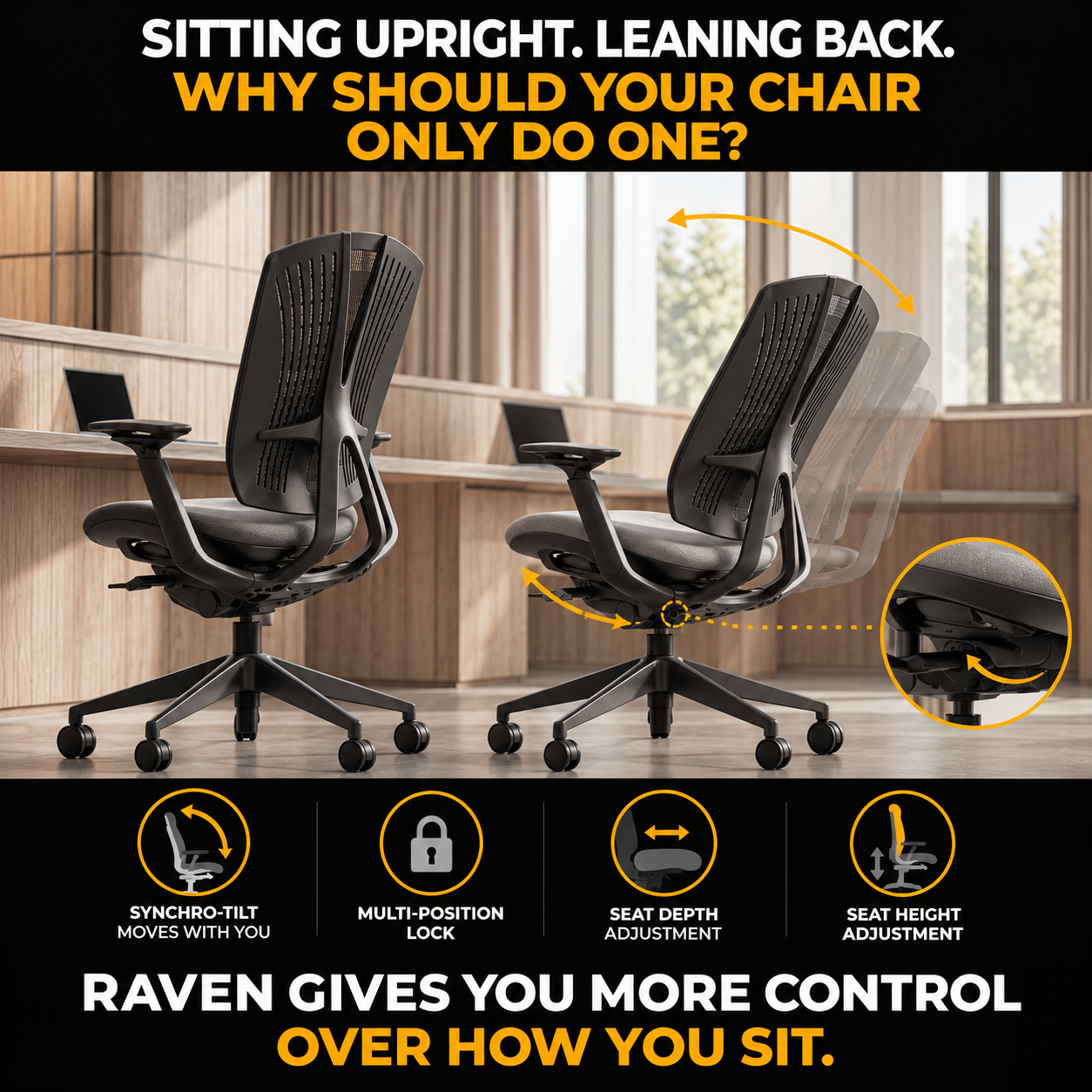
There is a tendency to think about task seating in two simple categories.
A chair is either upright for working or reclined for relaxing.
The actual workday is more complicated.
Someone may sit upright for detailed computer work, lean back during a phone call, return to a more forward position to write notes, and then adjust again during a meeting.
A useful task chair should support these changes with controls that the user can understand.
This is why a chair's adjustment mechanism deserves careful attention.
Raven's Approach: Synchro-Tilt and Positioning Controls
Raven includes a synchro-tilt mechanism with:
Multi-position tilt lock.
Tension control.
Seat-depth adjustment.
Pneumatic seat-height adjustment.
Each feature addresses a different part of the sitting experience.
Synchro-tilt coordinates movement of the seat and backrest during recline.
This distinction matters. The movement is controlled through the mechanism beneath the seat; it is not simply an independent backrest hinge.
Multi-position tilt lock gives users the ability to select and maintain supported reclining positions.
Tension control allows adjustment of the resistance experienced during reclining.
Seat-depth adjustment helps users position the seat relative to their body dimensions and preferred sitting posture.
Pneumatic seat-height adjustment allows the user to change the seating height in relation to the floor and workstation.
Together, these features provide several ways to configure the chair.
Why Adjustment Matters More Than the Number of Controls
A chair may offer numerous adjustments, but that alone does not determine whether it is the appropriate choice for a project.
The controls need to serve a purpose.
For example, consider two people sharing the same workstation on different shifts.
They may need different seat heights, seat depths, and reclining resistance settings.
Adjustability allows each person to establish a preferred setup rather than expecting both to use identical settings.
The same principle applies to workplaces where furniture is reassigned as teams expand or seating arrangements change.
A chair with usable adjustments can accommodate a wider variety of user preferences.
It does not eliminate the need for appropriate ergonomic evaluation, but it gives the workplace more flexibility.
Specifying for Actual Use
During a chair evaluation, have users test the adjustment sequence rather than simply viewing a feature list.
Can they find the controls?
Can they understand how to change the seat height, depth, and reclining settings?
Does the chair remain stable and comfortable through the positions they typically use?
These questions help connect manufacturer features to real-world user experience.
The takeaway: Good adjustability is about giving users meaningful control over how they sit—not requiring them to adapt to one fixed chair position.
Same Office. Different Seating Preferences. Why Force One Seat Style?
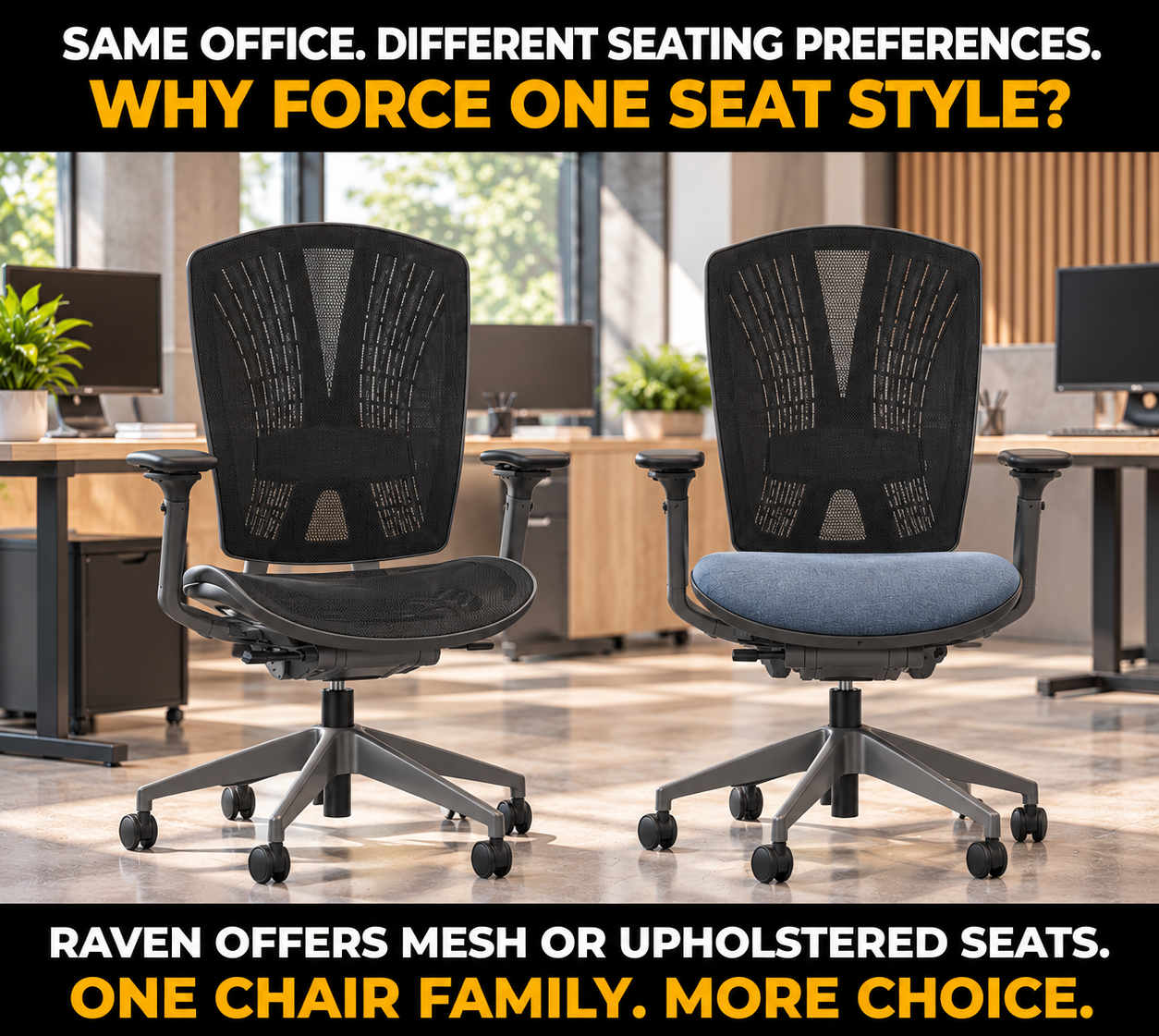
Workplace standardization can offer meaningful benefits.
It can create a consistent visual identity, simplify furniture coordination, and establish a repeatable specification across multiple areas.
But standardization also creates a challenge.
What happens when people prefer different seating surfaces?
Some users appreciate the feel and openness of a mesh seat.
Others prefer the tactile experience of an upholstered seat.
These preferences do not necessarily justify choosing entirely different chair families.
Raven's Approach: Two Seat Constructions
Raven is offered with either an all-mesh configuration or a mesh back with an upholstered seat.
The primary family includes four configurations:
Model | Configuration |
|---|---|
2550 | All-mesh mid-back task chair |
2550UFST | Mesh-back task chair with upholstered seat |
2550D | All-mesh mid-back task chair with adjustable headrest |
2550DUFST | Mesh-back task chair with upholstered seat and adjustable headrest |
This distinction creates an important opportunity for designers and furniture dealers.
Both seat styles retain the Raven family's recognizable design.
The contoured mesh back, graphite frame, armrest profile, and five-prong metal base establish visual continuity.
Meanwhile, the seat construction can be selected based on project requirements and user preferences.
The adjustable headrest is also available through designated model configurations.
One Design Language Across Multiple Work Areas
Imagine a commercial office with individual workstations, supervisor offices, and shared administrative areas.
The project team wants visual consistency throughout the interior.
However, the seating needs and preferences are not identical.
Instead of introducing several unrelated task-chair designs, the team can explore multiple Raven configurations.
For example, an all-mesh model may appeal to users who prefer a mesh sitting surface.
An upholstered-seat model may suit users who prefer fabric or another available upholstery selection.
Headrest-equipped models provide an additional option where that feature is desired.
The chairs remain visibly related even when their configurations differ.
This approach can be useful in workplaces where furniture selections must balance user choice with an established interior design concept.
What Specifiers Should Confirm
Seat construction should be identified clearly in the furniture schedule.
A mesh seat is not the same physical construction as a padded upholstered seat.
Likewise, a headrest-equipped model is not identical to the standard mid-back version.
The exact model number, selected finishes, and available options should be verified before ordering.
Where multiple configurations are used, the schedule should identify which model belongs in each location.
The takeaway: A consistent furniture family does not require every occupant to use exactly the same seat.
From Chair Features to a Better Seating Specification
Raven's four key stories point to a broader lesson about furniture selection.
Ergonomic task seating should be evaluated as a complete system.
The lumbar support, armrests, reclining controls, seat construction, and overall chair dimensions influence one another.
It is rarely enough to select a chair based on appearance or a single standout feature.
For a project team, a stronger specification process begins with understanding the intended use.
Start With the People
Identify the expected range of users.
Consider whether workstations are individually assigned, shared, or used by different employees throughout the week.
Ask what kinds of activities will occur in each location.
A seated position suited to detailed computer work may differ from the preferred position for reviewing documents or participating in conversations.
Evaluate the Adjustments
Review the chair's seat-height range, seat-depth adjustment, armrest movement, and reclining controls.
Have representative users test the chair where possible.
Determine whether the available adjustments accommodate the intended workstation setup.
Select the Appropriate Configuration
Decide whether mesh or upholstered seating is preferred.
Identify where headrests are appropriate and where standard mid-back configurations are better suited to the design intent.
Verify model-specific features rather than assuming every option is available on every version.
Coordinate the Finish and Workplace Design
Task seating is a highly visible element of the commercial interior.
Chair frames, seat materials, upholstery colors, and workstation finishes should work together.
Raven's common chair architecture allows different seat configurations to remain part of a coordinated furniture scheme.
Document the Final Selection
Once the chair has been evaluated, the furniture schedule should identify the exact model and configuration.
It should also note selected upholstery, frame and base finishes, casters, and additional options where applicable.
For Raven, optional selections shown in Nightingale's 2026 brochure include an extra-thick ENERSORB seat, hard-surface casters, and custom embroidery.
Availability and compatibility should be confirmed for the specific configuration.
A clear specification helps preserve the original design intent as the project moves from selection through procurement and installation.
What Matters Most
Nightingale Raven illustrates why the conversation around task seating should begin with people and how they work.
Four points stand out:
1. Support should respond to movement.
Raven's self-pivoting lumbar support is integrated into its contoured mesh back.
2. Armrests should offer useful adjustment.
Height, sliding, and pivoting arm pads accommodate a range of user positions.
3. Reclining and positioning should be controllable.
Synchro-tilt, multi-position lock, tension control, seat depth, and seat height give users ways to configure their chairs.
4. Standardization should still allow choice.
Mesh and upholstered seat options provide different seating experiences within the same recognizable chair family.
Taken together, these details give architects, designers, dealers, and workplace decision-makers a more complete way to evaluate task seating.
The goal is not to find one chair setting that works for everyone.
It is to select seating that offers meaningful adjustment, appropriate configurations, and a consistent design across the project.
One chair family. Different people. Better adjustability.
Let's Talk About Raven for Your Next Project
If you're specifying task seating for an upcoming workplace, office renovation, or furniture replacement program, The Ginger Grant Group can help you explore Nightingale's Raven chair family.
We can help review configurations, discuss specification considerations, and coordinate next steps for your project.